
How I Built a Bitly + Linktree SaaS Clone in a Day for $55 – Complete Guide!

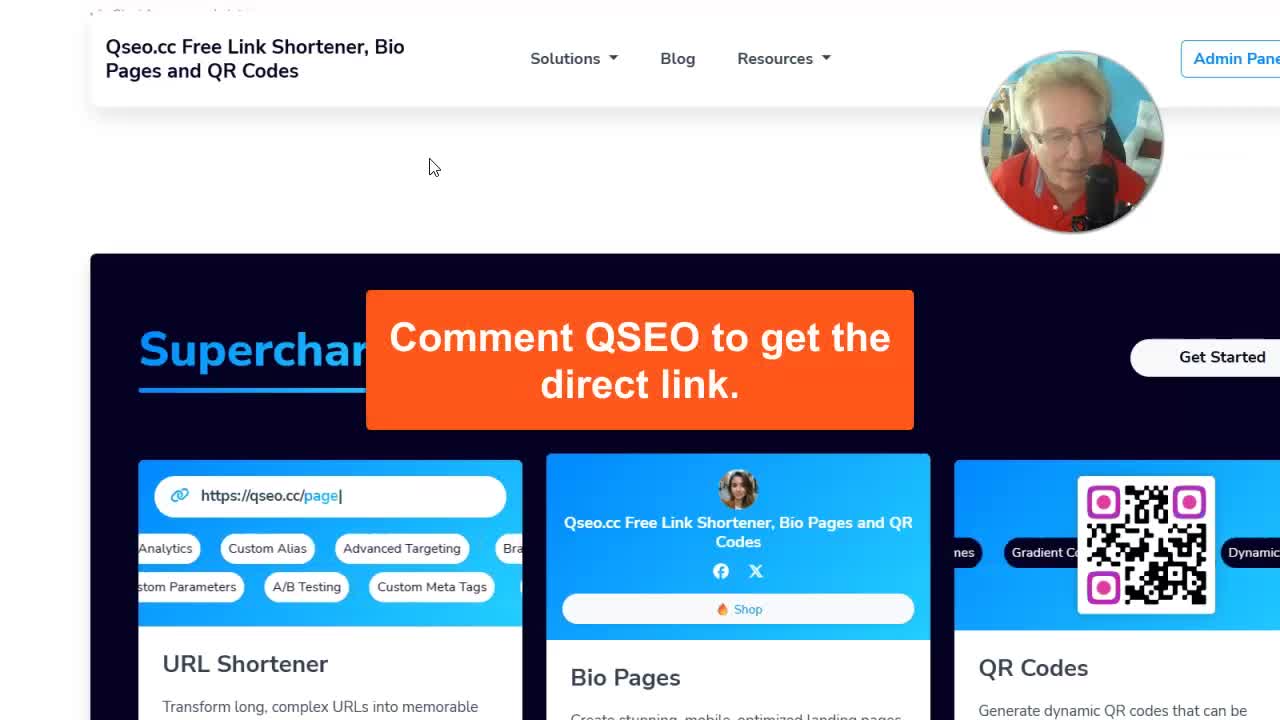
Ever wondered if you could build your own SaaS business—like Bitly or Linktree—without a huge budget or coding team? Well, that’s exactly what I did. In just one day and for only $55, I launched my own link shortener and bio page service called QSEO.cc. I’ll walk you through every step—from what it does, why I built it, how I set it up, to the ways I plan to profit from it. If you want to create your own version, stick around, because I’ll show you how you can do it too!
“This is a viral traffic machine. People are going to be using these links and bio pages—and by promoting their stuff, they’re promoting your domain as well.”
Table of Contents
- Why I Built a Bitly/Linktree Clone
- What Is QSEO.cc and What Does It Do?
- Step-by-Step: How I Built It for Just $55
- How QSEO.cc Works (Feature Deep Dive!)
- How This Becomes a Profitable, Viral Traffic Machine
- How YOU Can Build a SaaS Like This (Step-By-Step)
- Tips for Running and Growing a SaaS Side Project
- Final Thoughts
Why I Built a Bitly/Linktree Clone
Let’s be honest—Bitly and Linktree are everywhere. Just check any Instagram or TikTok influencer profile and you’ll see, “Link in bio!” That single link takes you to a page loaded with other links to their socials, stores, YouTube—whatever they want fans to see.
But what most people don’t realize is that every time someone clicks those links, they’re sending traffic to Bitly or Linktree. These services have grown HUGE mostly on viral, third-party promotion. I figured: Why not create my own service, let people promote themselves, and grow my own traffic at the same time?
Not only is it great for building my own email list and promoting my own services on the back end, this kind of setup has the potential for recurring revenue with paid plans, ads, and upgrades. And with tools like CodeCanyon, you don’t need to be a coder or spend a fortune to get started.
What Is QSEO.cc and What Does It Do?
QSEO.cc is my new all-in-one tool for making bio pages (just like Linktree) and shortening URLs (like Bitly), plus a bunch of cool extra features—QR codes, call-to-action overlays, stats, you name it.
”
”
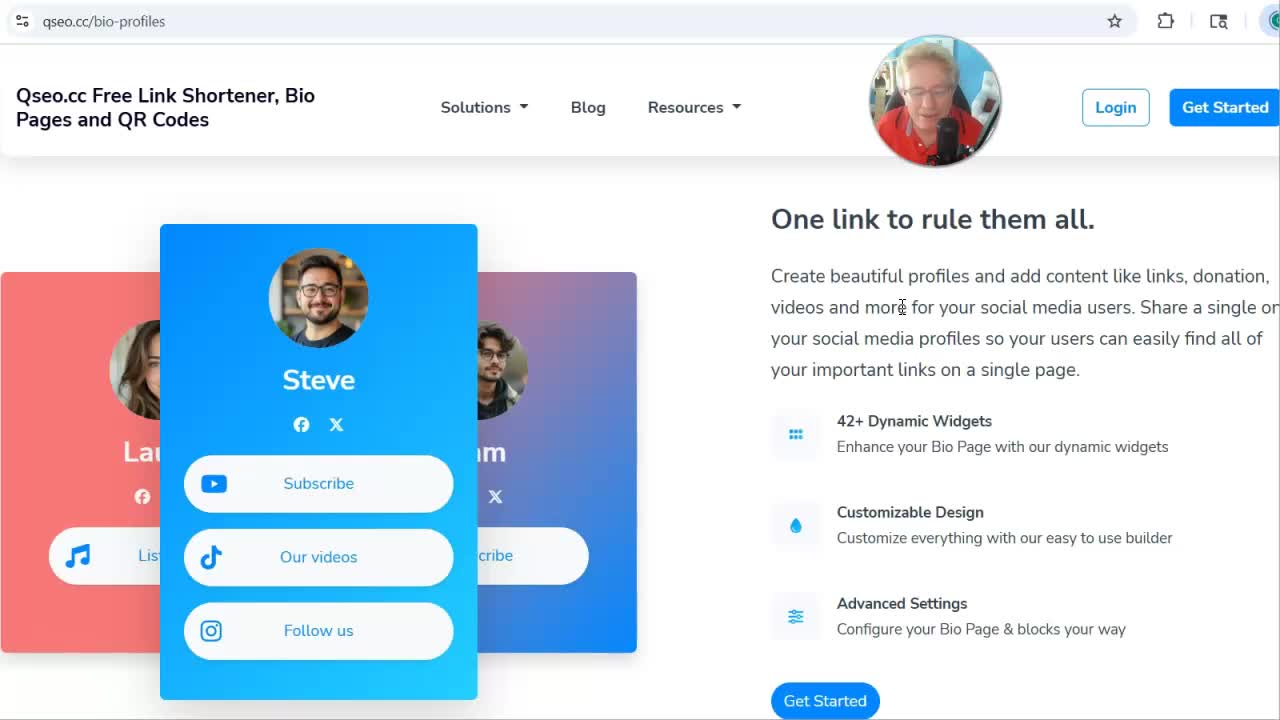
Bio Pages: Your Social Links Hub
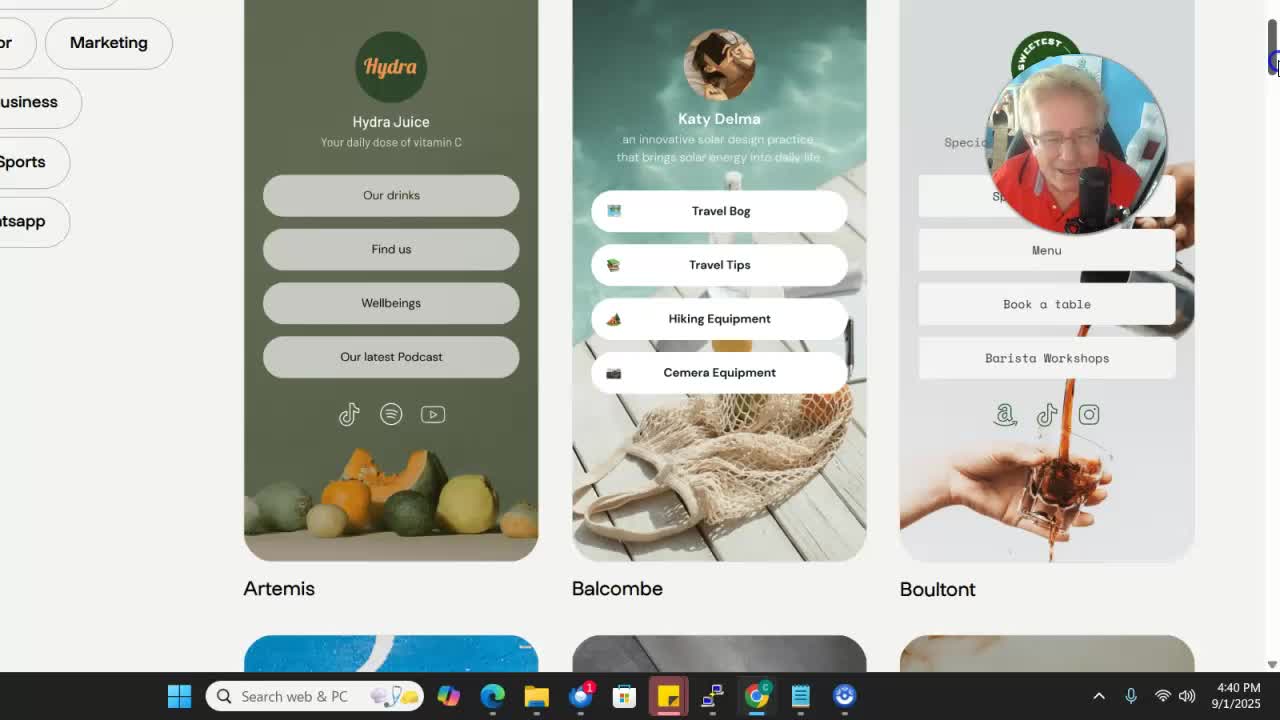
Ever seen those Instagram bios where you can only put one link? Or TikTok, where video links aren’t clickable? Bio pages solve that. You drop your QSEO.cc link in your bio, and anyone who clicks it can instantly see all your important links, socials, donation pages, videos—whatever you want!
Sample bio page:
”
”
QSEO.cc lets you create these (for free!) with tons of customization. Add your links, YouTube videos, custom branding, donation buttons, and more.
Link Shortening: Cleaner, Branded URLs
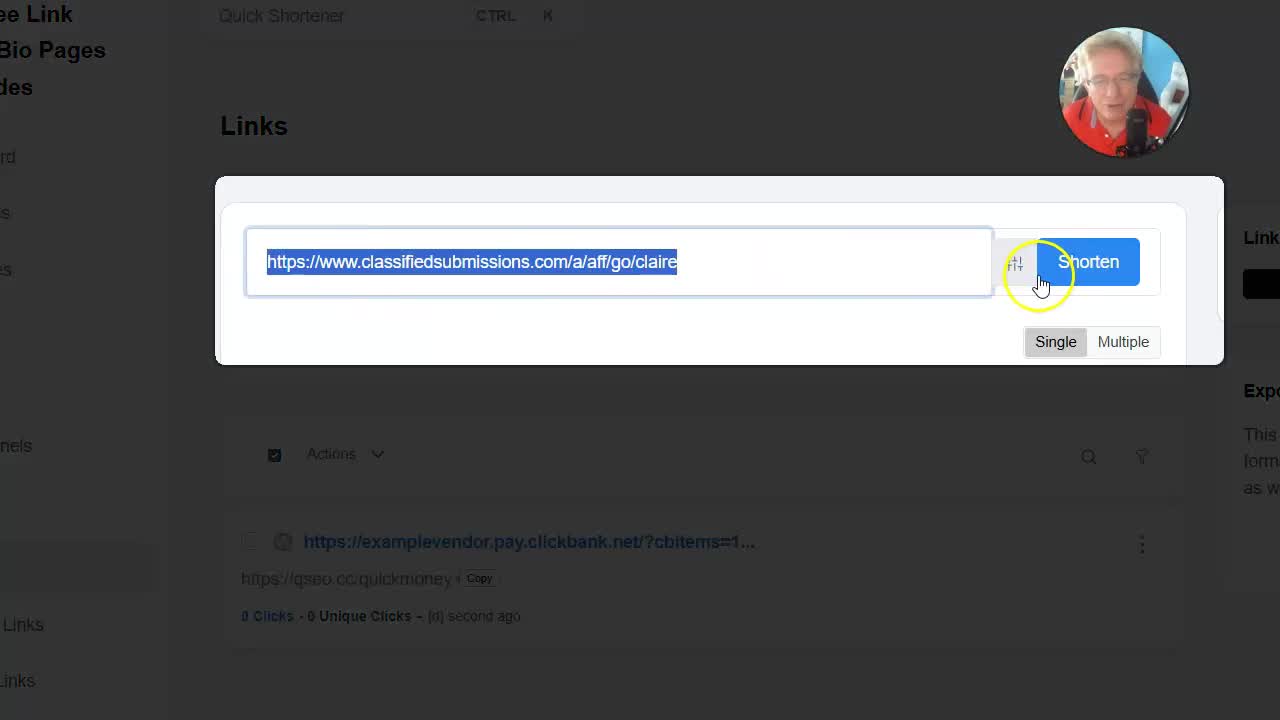
If you’ve ever had to share a mile-long Clickbank or affiliate link, you know how ugly those look. QSEO.cc shortens your links—and you can brand them with cool, available keywords because it’s a NEW service. Get branded links you can’t find on Bitly, TinyURL, etc.
For example:
https://qseo.cc/quickmoney instead of
https://ridiculouslylongaffiliateurl.com/ref=jfjds7829sdjs&tag=4568451231
Extra Features: QR Codes, Stats, and More
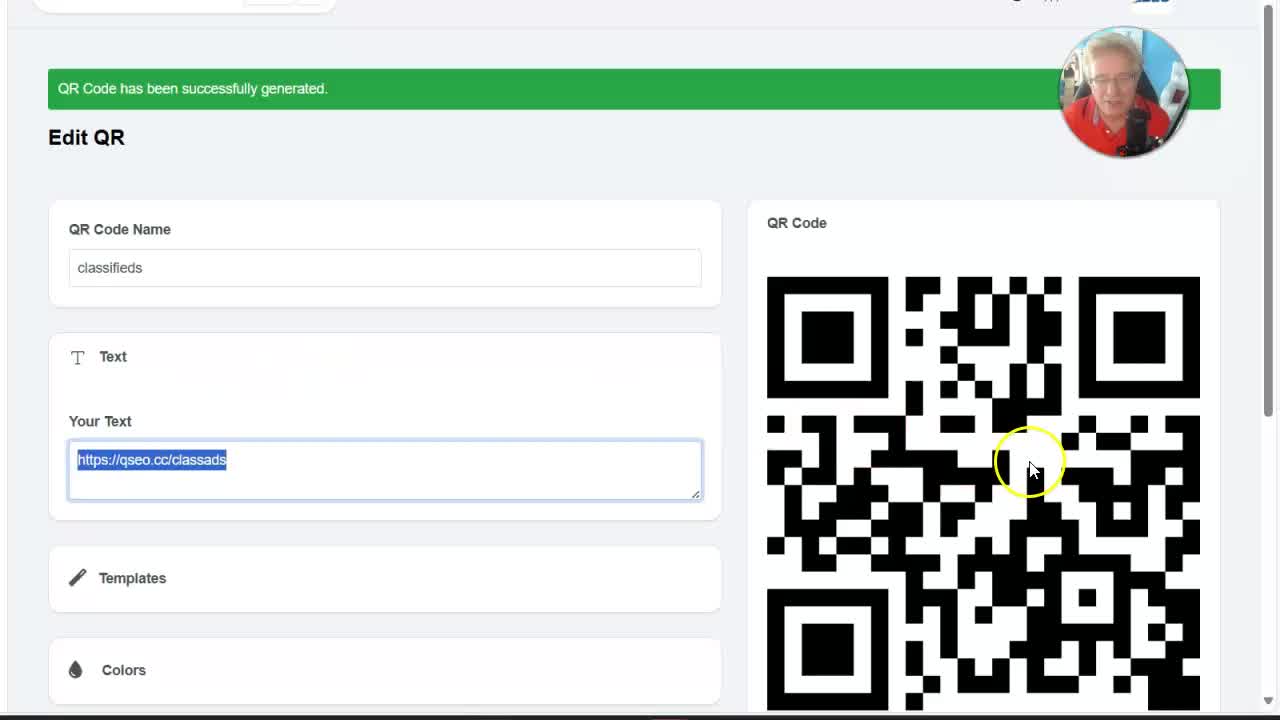
With QSEO.cc, you get:
- QR code generation—turn your links into QR codes in one click
- In-depth stats—see who clicks, from where, and when
- CTA overlays and frames (for power users)
- Free for all (for now!)—no paid plans yet, everything is open
”
”
Step-by-Step: How I Built It for Just $55
I know what you’re thinking: “Okay, but how’d you actually do it?” Here’s the full breakdown, step by step.
1. The SaaS Script: CodeCanyon Steal
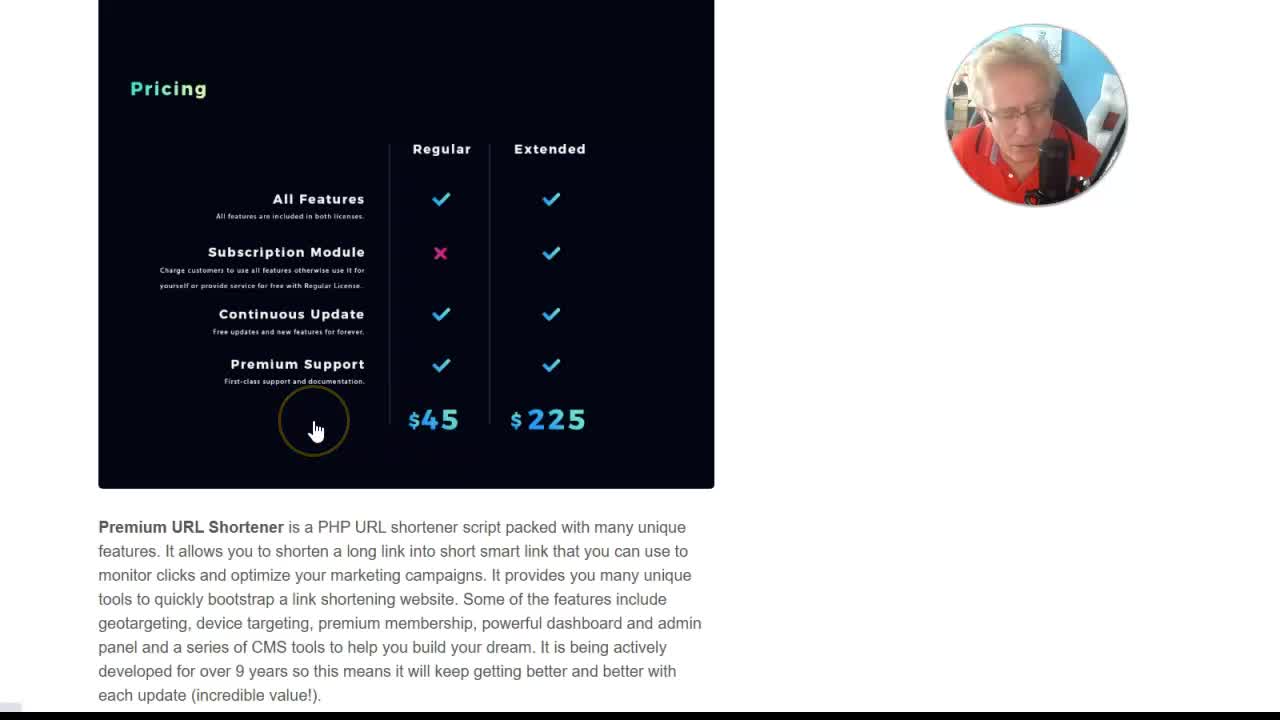
The backbone of QSEO.cc is a really solid PHP SaaS script I got from CodeCanyon. Cost? Just $45! If you’ve tried coding a system like this from scratch, you know you’d burn through thousands of dollars and months (if not years) of your life.
Why CodeCanyon?
- Loads of ready-to-deploy SaaS scripts
- Built-in features: payments, plans, stats, user management—the works
- Tons of reviews, so you know it’s stable
- Constant updates, bugs already ironed out
”
”
“For $45, you get a whole SaaS business ready to go. Setting it up takes a few hours, not months or years!”
If you’re interested in which exact script I used, drop “codecanyon” in the comments and I’ll send over the direct link.
2. Hosting: VPS for SaaS
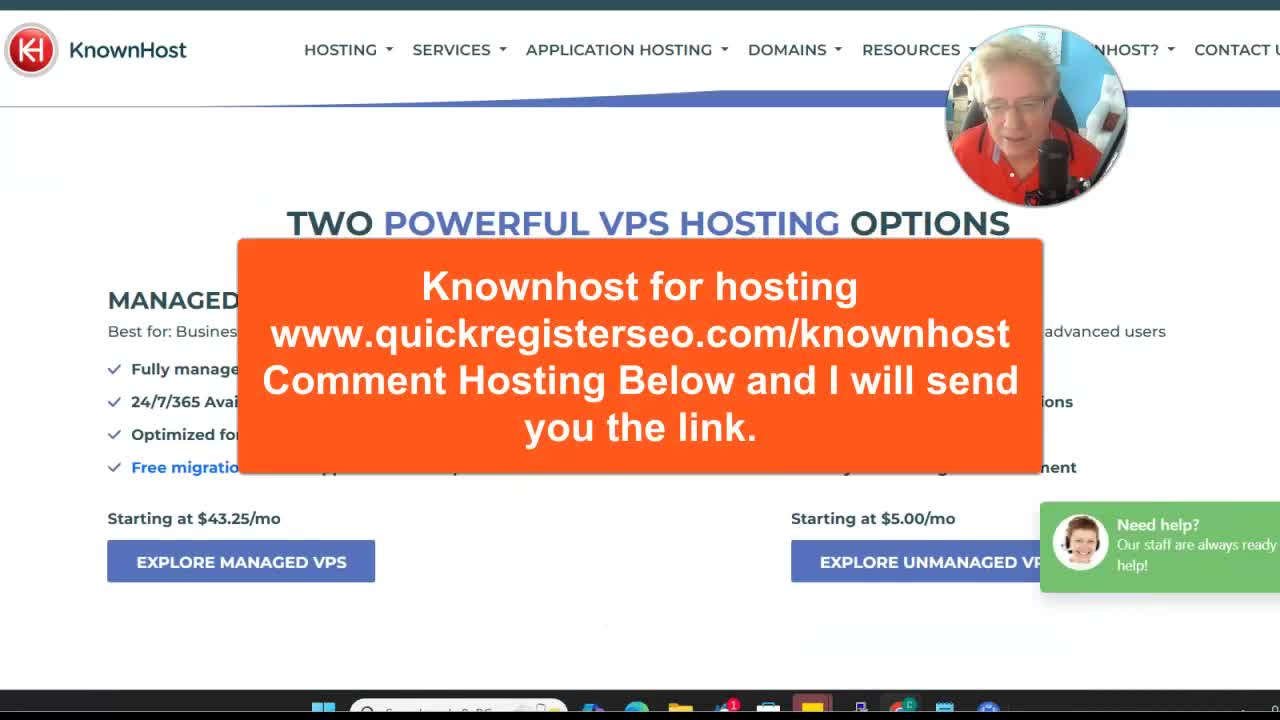
For a tool people will be using for real, you can’t risk it on a $4/month shared hosting plan. You need something more reliable. I use a VPS from KnownHost—the basic plan starts around $20/month, and you can host multiple sites.
- ~ $20/month for basic, unmanaged VPS
- Can run several SaaS sites, not just your Bitly/Linktree clone
”
”
3. Domain Name: Short, Catchy, and Memorable
The domain is crucial! Shorter is better (think: Bit.ly, t.co). I couldn’t get a 3-letter .com, so I snagged qseo.cc—it matches my brand (“Quick Register SEO”) and keeps things simple. Don’t be afraid to use .cc, .io, or other two-letter TLDs.
- Goal: 3-4 letters if possible
- Use GoDaddy or a reseller for best prices
- Cost: Around $10/year
”
”
How QSEO.cc Works (Feature Deep Dive!)
Let’s look at how the main features work, both from the user side and the admin (your) side.
Creating a Bio Page
- Sign Up (super quick, all free for now)
- Click “Create Bio Page”
- Add your links: socials, shop, YouTube, donation, whatever
- Add videos or embed widgets as needed
- Save and copy your custom bio page URL
”
”
Use this in your Instagram/TikTok bio so your fans can always find everything in one place.
Shortening Affiliate Links
Have a monster affiliate link to share?
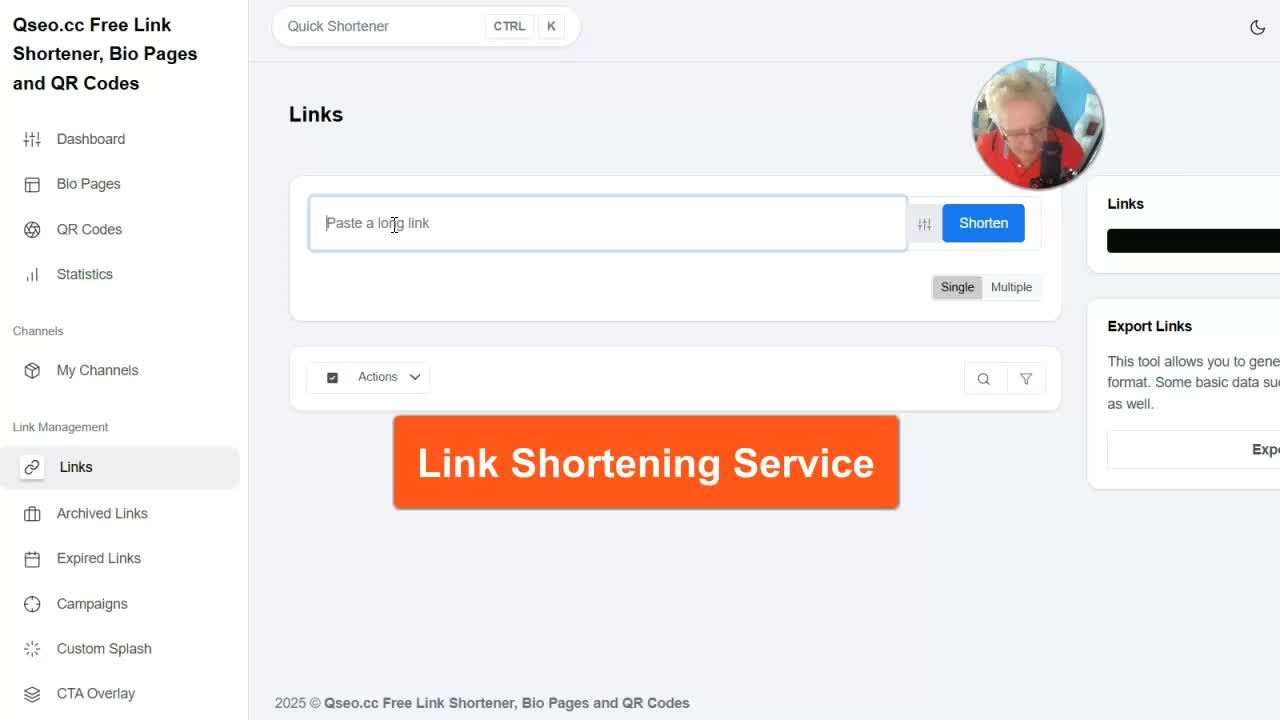
- Log in, go to the link shortener
- Paste your long URL
- Use Advanced Options to pick a custom alias (like
/quickmoney) - Hit “Shorten”
- Copy your new, beautiful link
”
”
No more ugly, randomly generated slugs. Brand your links from day one.
QR Codes: Share Your Links With Ease
QSEO.cc also generates QR codes for every shortened link:
- After shortening, click “Generate QR Code”
- Download the code
- Use it on business cards, flyers, or anywhere offline
”
”
Anyone can scan and go straight to your link. Super handy for events, stores, or restaurants.
How This Becomes a Profitable, Viral Traffic Machine
The genius of a SaaS tool like this is it grows itself. Here’s how:
1. List Building
When users sign up to use your service (even for free), you can ask for their email and permission to send updates—building your newsletter list fast, without pushy tactics.
2. Promoting Your Own Products & Services
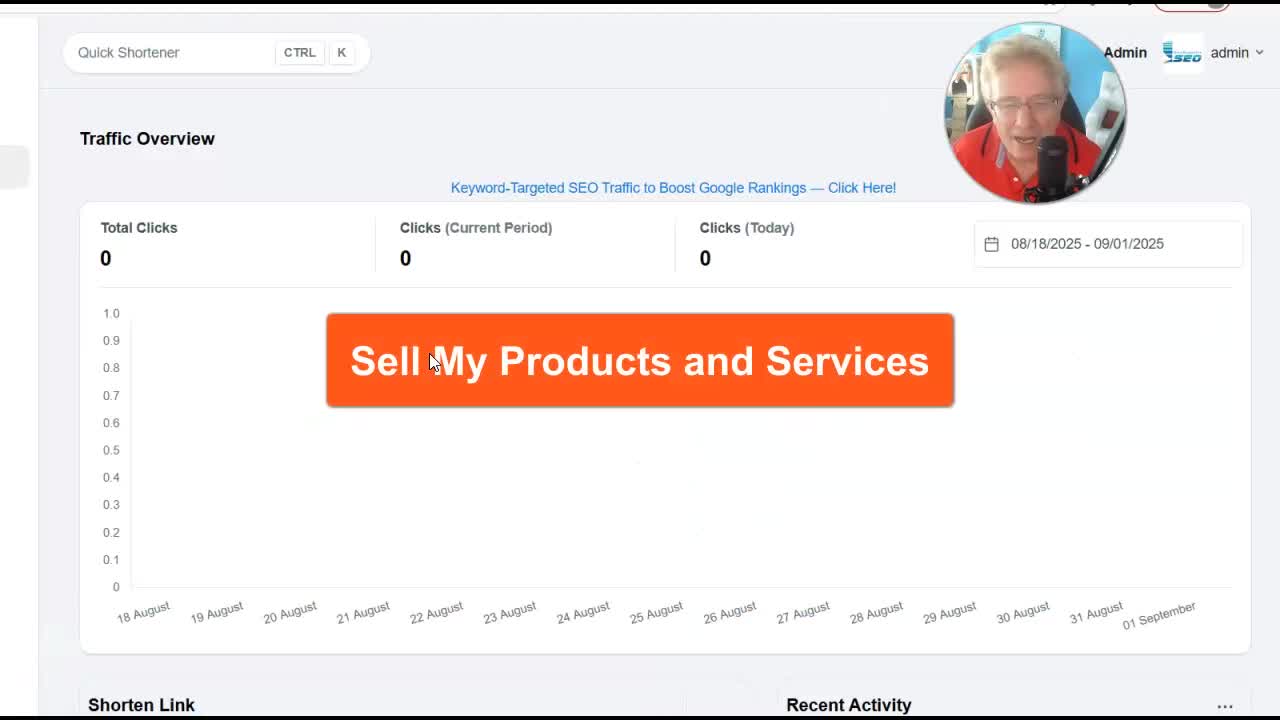
On the QSEO.cc dashboard, I run a little rotator displaying my affiliate links and services (ad submissions, traffic tools, etc). It’s subtle—just text links for now—but I could easily go bigger with banners or even full-page takeovers.
”
”
Every time someone logs in, they see one of my ads, making it a passive way to promote.
3. Monetizing with Ads & Affiliate Links
As traffic grows, you can:
- Place banners or text ads inside the dashboard
- Integrate Google AdSense or other networks
- Run affiliate offers tied to the niche
And remember—because users are sharing YOUR domain everywhere, your service (and ads) get eyeballs almost automatically!
4. Freemium & Paid Plans (Future Upsells)
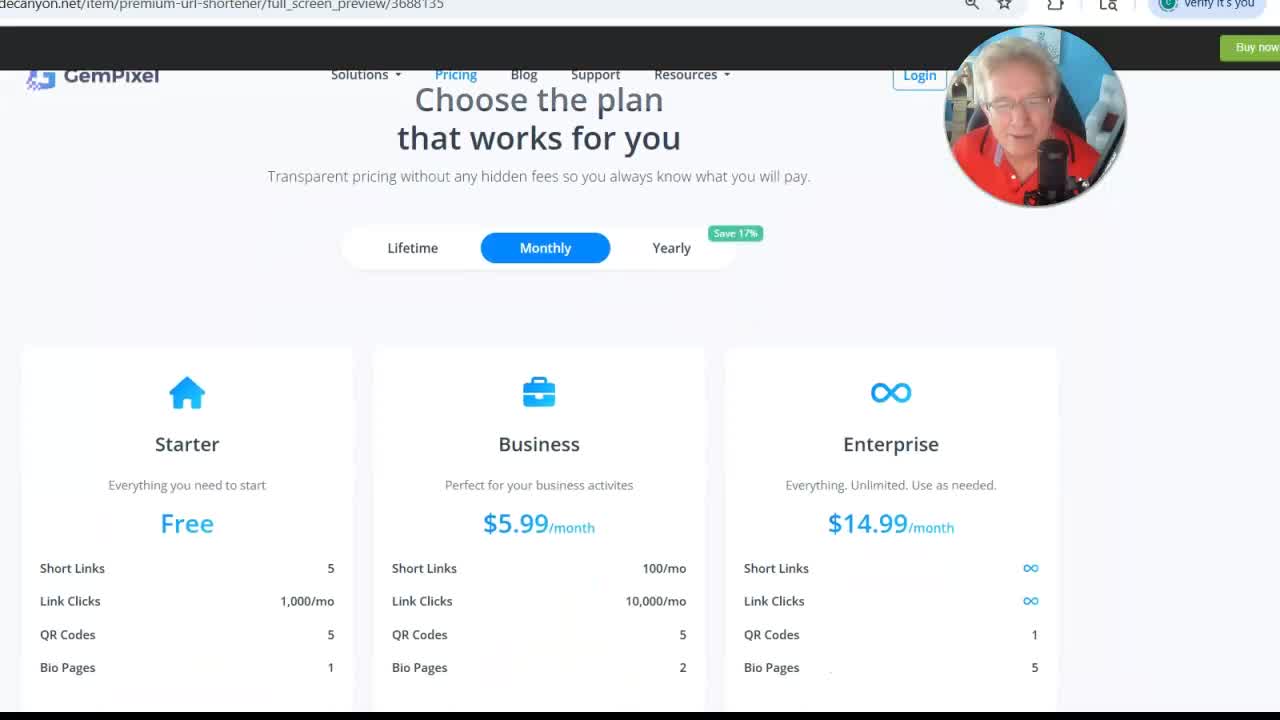
Right now, it’s 100% free. The CodeCanyon script has built-in pricing plans, payment modules for PayPal, Stripe, etc. Down the road, I can launch paid plans with extra features:
- Custom domains for power users
- Extra analytics or integrations
- Whitelabel/reseller options
If you get just 100 people paying $10/mo…that’s $1,000/month extra income. Not bad!
How YOU Can Build a SaaS Like This (Step-By-Step)
Want your own Bitly or Linktree clone? Here’s what you need and how to get set up.
Tools and Services You’ll Need
1. CodeCanyon Script
- Budget: $45 (one-time)
- Look for: link shortener / bio page scripts with lots of sales and good reviews
Check CodeCanyon’s SaaS Scripts
2. Hosting
- VPS strongly recommended for speed, stability, and control
- KnownHost suggested (good support, fair price)
- Budget: ~$20/mo for a basic VPS
3. Domain Name
- As short as possible
- Use .cc, .io, or other short TLDs if .com isn’t available
- Budget: ~$10/year
4. (Optional) Technical Help
- Most scripts have setup guides
- If needed, hire help on *Freelancer.com*or *Fiverr*for $20–$50.
5. (Optional) Branding/Logo Design
- Use Canva or Fiverr for a quick logo
”
”
Picking Hosting
I’ve used a ton of hosts over the years, and “KnownHost” has always delivered. You’ll want their basic VPS, which gives you enough power to run QSEO.cc and other sites. (I already had my server, so my setup was even faster.)
- VPS = reliability and speed
- Can host many SaaS projects
- Unmanaged is okay if you’re somewhat technical
”
”
Choosing a Domain Name
Short, catchy, and dot-something! 3-4 letters is best, but not always possible. The main thing: don’t be scared off by non-.com domains. My “qseo.cc” works great.
- Use GoDaddy or a reputable reseller
- If price matters, check for resellers with deep discounts. My own Quick Register US site (GoDaddy partner) usually can’t be beat.
”
”
Tips for Running and Growing a SaaS Side Project
It’s not just about launching your tool—growth is key! Here’s what I’ve learned:
Keep It Simple and Viral
Don’t overcomplicate at launch. The whole point of this SaaS model is viral growth: Users promote your service without even thinking about it because your URL is all over their social profiles and shares.
- Free brings volume (offer upgrades or paid plans later)
- Focus first on making it dead-simple to use
- The shorter your domain / links, the more people want to use them
Building Momentum and Traffic
- Launch on social—tell friends, post in groups, drop your own links in your bios
- Encourage users to “steal” the best branded URLs before someone else does (people love cool, short slugs)
- Run a rotator or subtle ads to gently promote your main services
- Offer affiliate programs or referral bonuses for sharing
“It’s not about one thing going viral and making you millions overnight… it’s about adding arrows to your quiver. The more traffic sources, the better.”
”
”
Don’t Wait for Perfection
The version I launched is not perfect. It doesn’t have every feature in the world or a $10K custom front-end. It’s clean, it works, and I’m adding features as people sign up. Get it out there and iterate!
Final Thoughts
All told, I set up QSEO.cc—a full-featured Bitly/Linktree clone—for $55 in just one day. That’s $45 for the CodeCanyon script and $10 for the domain (my hosting was already running, but even $20/month is peanuts for your own SaaS business).
If you want to build your own, here’s your action plan:
- Get your domain (keep it short!)
- Grab a SaaS script off CodeCanyon (link shortener/bio page style)
- Set up on a good VPS
- Launch, tell friends, drop some links in bios, and watch viral traffic start to trickle in
- Experiment with ads, affiliate offers, and upsells as you grow
“It’s a steal, folks. You can’t get anything for $45 that delivers this much out of the box. Stop overthinking and start shipping!”
If you found this post helpful, please subscribe to my YouTube channel for more guides like this, and drop a comment below if you want links to the exact tools/scripts I used!
”
”
Frequently Asked Questions
Q: Do I need to be a developer or know PHP?
A: Nope! The CodeCanyon script comes with setup instructions. If you get stuck, $20 on Fiverr or Freelancer.com can get you set up.
Q: Is QSEO.cc free?
A: Totally free right now. All features are unlocked. I’ll eventually have upgraded plans once there’s enough volume.
Q: Will this really grow by itself?
A: If you make it easy for people to use and share, YES. The more people use your links, the more your brand spreads automatically.
Q: What if I want to scale or add features?
A: Start with the basics. Once you have users, you can upgrade your CodeCanyon script or hire developers to trick it out.
Q: What’s the best way to start?
A: Get the script, set up your domain and hosting, and build! Don’t wait for the “perfect” time.
Check These Out:
- CodeCanyon’s SaaS Scripts Gallery
- KnownHost VPS (Recommended Hosting)
- Quick Register US (Cheap Domains)
- Need help? Drop a comment: “codecanyon,” “cheap domains,” or just ask directly!
If you’re serious about starting an online business but want low cost and less tech hassle… THIS is the way. Start small. Add features. Let users help you grow!
”
”
Ready to join the SaaS side hustle club? Let’s go! ? If this post helped you, hit subscribe, leave a comment, and go build your own mini Bitly/Linktree empire.
If you want more step-by-step breakdowns like this, check out my channel and my other posts. See you next time! ?

